
How to Change a Battery Terminal Like a Pro
Best Replacement Battery Terminals: The Truth From a Master Tech
Quick Summary
There are two types of replacement battery terminals DIYers can use to change the terminals in their car. The plate type is the most common but least preferable. The compression type is a bit harder to find, but it gives you the best results. In this guide, I’ll show you exactly how to change a battery terminal, which types of replacement terminals actually work, and the steps I use when I replace a car battery terminal myself in the shop.
A damaged or corroded battery terminal is one of the most common causes of starting issues, intermittent electrical problems, and poor charging performance. In many cases, the fix is as simple as changing a battery terminal rather than replacing the entire battery cable assembly.
Replacing the entire cable can cost a small fortune—sometimes hundreds of dollars and hours of work. But replacing just the terminal is fast, inexpensive, and absolutely something you can do in your driveway.
The Three Types of Battery Terminals—And Which I Trust the Most
1. Plate-Style Battery Terminals (Cheapest, but Not the Best) — These are the bargain terminals you’ll find hanging on the wall in every parts store. Yes, they work, and yes, you can use them to replace a car battery terminal
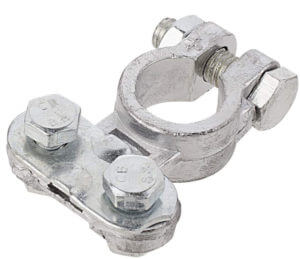
Plate-style battery terminal. The cable gets squashed under the plate. This is the cheapest style but is most prone to corrosion
yourself, but they’re far from ideal. Here’s why I don’t recommend them:
• They don’t make full contact with all the copper strands
• The exposed copper corrodes quickly
• They weaken over time, especially in winter
If your goal is to change a battery terminal in the cheapest, quickest way possible, they’re an option—but not the option I would choose for a dependable long-term repair.
2. Crimp-Style Battery Terminals (Preferred by the pros, but requires a special tool)— Auto repair shops often use heavy-duty crimp terminals because they provide excellent electri
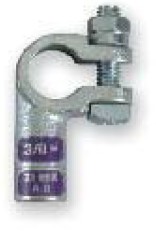
Crimp-style battery terminal
cal contact, and they’re nearly as strong as factory OEM connections.
However, to replace a car battery terminal yourself using a crimp terminal, you need a professional-grade crimping tool—the same type we use in the shop. Pliers or vise grips will NOT achieve the correct compression. The result is either a loose connection or a damaged cable.
If you have access to the right crimping tool, this is a solid choice. If not, move on to my favorite DIY solution.
3. Compression-Style Battery Terminals (My #1 Choice for DIYers)— Compression terminals are the style I personally use whenever I change a battery terminal on a customer’s car and don’t want to replace the
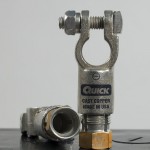
Quick Compression Brand Battery Terminal
entire cable. They provide the best electrical contact, they’re sealed against corrosion, and they don’t require any special tools. Here’s why I highly recommend them:
• Full 360-degree cable contact
• No hot spots like plate-style terminals
• No need for a hydraulic crimper
• Long-lasting, corrosion-resistant connection
• Perfect for anyone who wants to replace a car battery terminal themselves
They’re not sold everywhere, but NAPA and some truck-supply stores carry QuickCable or Quick Compression terminals—both excellent brands.
This is the type I like, but you’ll have to shop around a bit to find them. If you can’t find them, click on this link for more information. It’s the best for DIYers because it doesn’t require special tools and it provides the best electrical connection.
How to Change a Battery Terminal: Step-By-Step Instructions
Step 1: Disconnect the Old Terminals — Always remove the negative terminal first, then the positive.
If the old terminal is molded to the cable, cut it off with a hacksaw. If it’s crimped, you may be able to pry it open.
Step 2: Clean the Copper Strands Thoroughly— Corroded copper cannot make a good connection. Use a wire brush until the copper is shiny and free of white or green corrosion. This step is critical when you replace a car battery terminal yourself.
Next, slide a piece of heat-shrink tubing onto the cable. You’ll use it later to seal the repair.
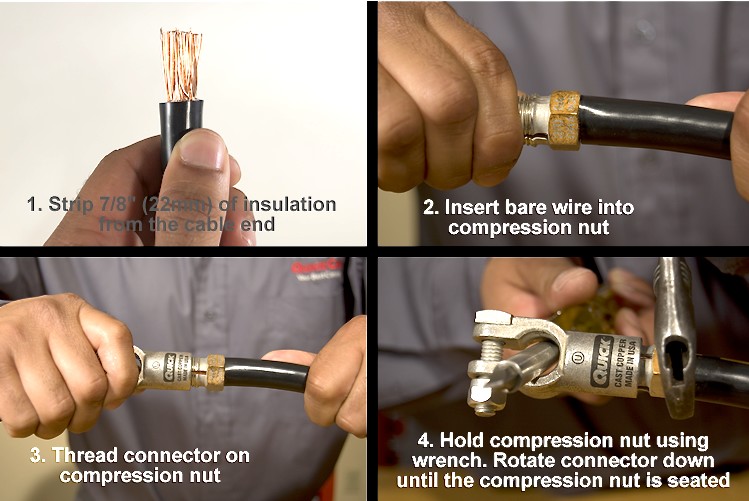
Step 3: Insert the Cable Into the New Terminal — Slide the compression bushing over the wires and down onto the cable insulation. Then, push all copper strands fully into the terminal body. No strands should be sticking out. Loose strands reduce conductivity and create resistance.
Step 4: Tighten the Compression Nut or Crimp the Terminal — Hold the compression nut with a wrench while you tighten the terminal body. Keep tightening until the nut becomes very hard to turn—this ensures a solid mechanical and electrical bond.
Once secure, slide the heat-shrink tubing over the joint and shrink it with a heat gun. This seals moisture out and dramatically extends terminal life.
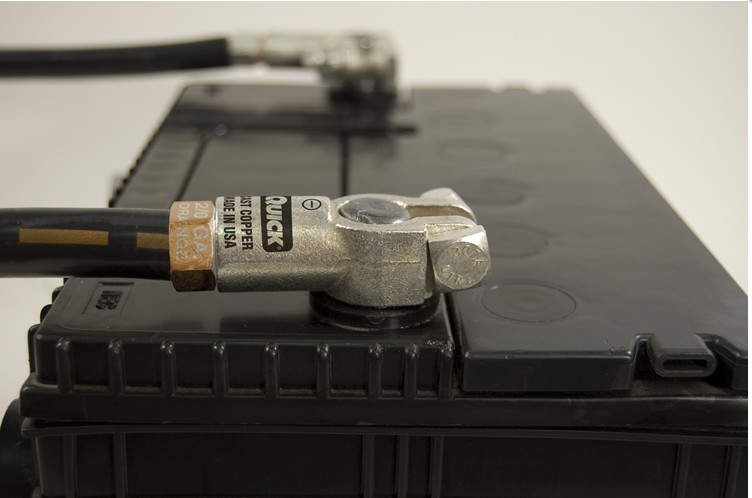
New battery terminals using QuickCable’s Quick Compression terminals
Compression terminals are a bit harder to find. NAPA stores carry the Quick
© 2012 Rick Muscoplat
Posted on by Rick Muscoplat